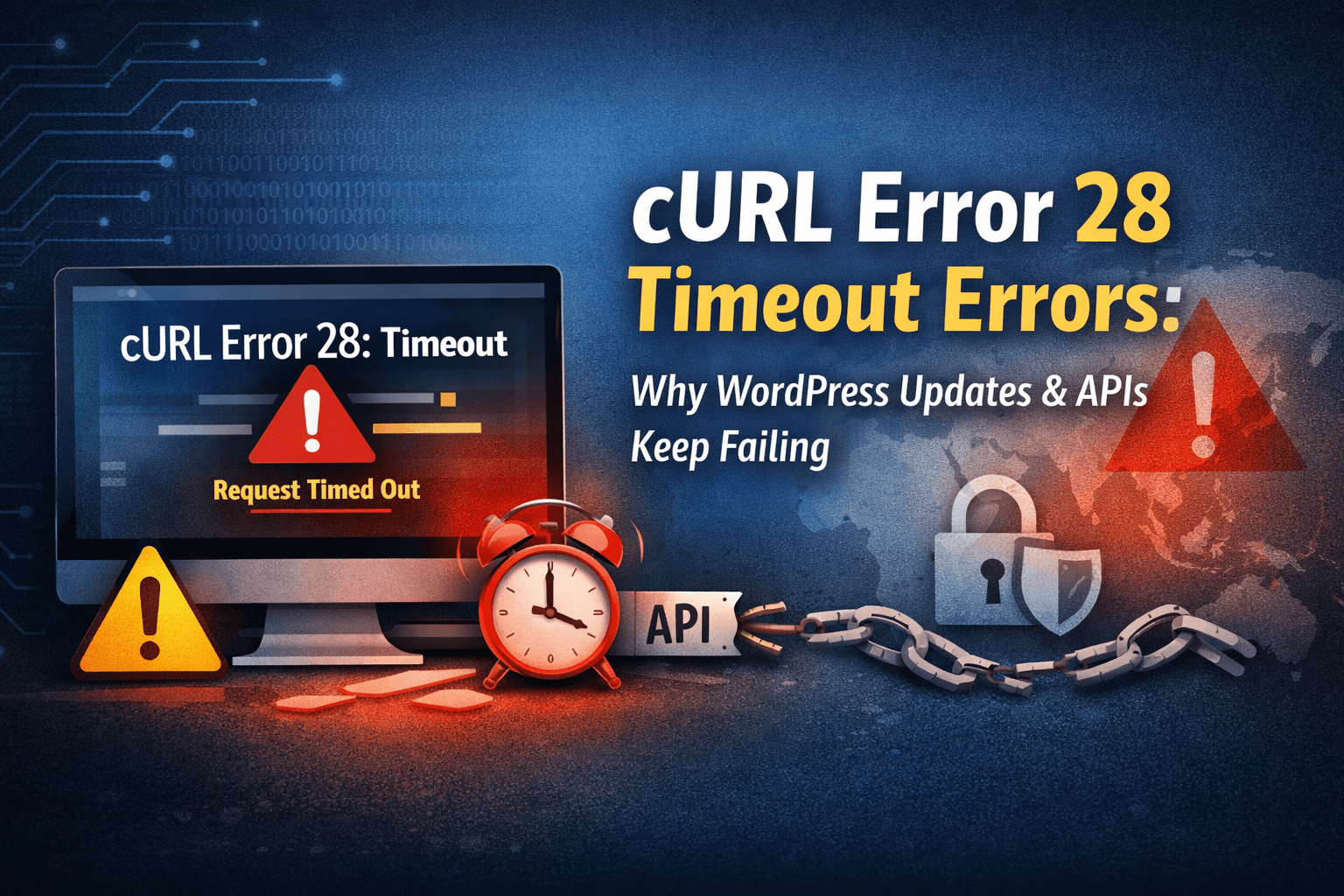

If you’re seeing cURL Error 28 timeout messages in WordPress, you’re dealing with a very specific kind of failure: your site tried to make an HTTP request (to WordPress.org, a plugin licensing server, a payment gateway, an email service, your own REST API endpoint, etc.), and it didn’t get a response quickly enough—so the request hit the timeout limit and died.
That’s why this error is so maddening: it often isn’t caused by the plugin that shows the message. It’s usually caused by network, DNS, firewall/WAF rules, hosting limits, SSL problems, or WordPress “loopback” requests being blocked.
At a technical level, error 28 is libcurl’s timeout code: CURLE_OPERATION_TIMEDOUT (28)—meaning “operation timeout; the specified time-out period was reached.” (curl.se)
Below is a practical, WordPress-focused guide to diagnosing and fixing cURL timeouts—especially the ones that break:
- WordPress core/plugin/theme updates
- Plugin license activation and API checks
- Webhooks and payment callbacks
- WordPress REST API requests (
wp_remote_get(),wp_remote_post()) - Site Health loopback tests / cron jobs
- Editors like Elementor that rely on REST/loopback behavior
What cURL Error 28 timeout looks like in WordPress
You’ll typically see one of these variations:
cURL error 28: Operation timed out after 10000 milliseconds with 0 bytes receivedcURL error 28: Connection timed out after X millisecondsResolving timed out after 5000 milliseconds(a DNS clue)- Site Health: “The loopback request to your site failed… cURL error 28…”
These messages can appear in:
- Tools → Site Health
- Plugin settings pages (license checks, background fetches)
- WooCommerce payment/shipping integrations
- Logs (PHP error log, plugin logs, server logs)
- WP-CLI output
Important: the number of milliseconds matters. A 5,000–10,000ms timeout often points to DNS delays, blocked outbound traffic, or a firewall/WAF rule. A 30,000ms timeout can suggest the destination is slow, your server is overloaded, or PHP/HTTP timeouts are misaligned.
Why WordPress updates and APIs fail with cURL Error 28 timeout
1) Your server can’t reliably reach the outside world
WordPress updates require outbound requests to WordPress.org infrastructure (and sometimes GitHub/CDNs, depending on plugins). If outbound HTTPS is blocked or slow, updates fail.
Common causes:
- Hosting provider blocks outbound connections on certain ports
- Firewall rules (server firewall, security plugin firewall, host WAF)
- DNS resolvers are slow/broken
- IPv6 routing issues (rare, but real)
- Network congestion or transient host issues
Many WordPress support threads boil down to “this is a server/PHP/network configuration issue rather than WordPress itself.” (WordPress.org)
2) Loopback requests to your own site are blocked
WordPress uses “loopback” requests: your server calling back into itself via HTTP(S). If those are blocked, you’ll see Site Health complaints, cron issues, REST API weirdness, and sometimes editor problems.
This often happens with:
- WAF/CDN rules (Cloudflare is a frequent suspect)
- Security plugins hard-blocking local requests
- Server firewall that doesn’t allow the server’s own IP
- Basic auth / maintenance mode / IP restrictions
A WordPress.org support reply put it plainly: if you’re seeing loopback cURL Error 28, your site is likely being blocked from connecting to itself and may need allowlisting in a firewall/WAF/CDN. (WordPress.org)
3) DNS resolution is timing out
When the error says “Resolving timed out…” that’s not a plugin problem—it’s DNS. Your server can’t resolve the hostname to an IP fast enough.
4) SSL/TLS handshake problems
If SSL is misconfigured (on your site or the destination), cURL can stall during negotiation and eventually time out. Mis-installed cert chains and strict SSL inspection setups can contribute.
5) Timeout settings are mismatched
Even if WordPress sets a higher timeout, other layers can kill the request earlier:
- PHP
max_execution_time - Nginx/Apache proxy/read timeouts
- FPM timeouts
- Load balancer idle timeouts
- Plugin-level timeouts (some hardcode 5–10 seconds)
Step-by-step: Fix cURL Error 28 timeout in WordPress
Step 0: Confirm what’s timing out (external vs. loopback)
Before you change anything, identify which type of request is failing:
- External request failing: updates, license checks, API fetches to third-party domains
- Loopback request failing: your site calling
https://yoursite.com/wp-cron.phpor/wp-json/etc.
Fast checks:
- Go to Tools → Site Health and look for loopback/REST warnings.
- Visit
https://yoursite.com/wp-json/in a browser. You should get JSON output (not HTML, not a login prompt, not a 403). If you’re getting “Updating failed: not a valid JSON response,” that’s often REST-related and overlaps heavily with loopback and security/CDN blocking. (WP Fix It)
1) Temporarily disable WAF/CDN rules and security firewalls
This is the #1 “quick win” because WAFs can block:
- Outbound requests (less common)
- Loopback requests (very common)
- REST endpoints
- XML-RPC (still used by some integrations)
What to do:
- If you use Cloudflare, temporarily pause/disable aggressive rules, bot fight modes, or custom WAF rules for a test.
- If you use a security plugin firewall (Wordfence, iThemes, etc.), temporarily disable the firewall or put it in learning mode, then retest.
The goal is not to run insecure forever—just to confirm whether the WAF is the cause. If disabling it makes the error disappear, you’ve found your “why.”
2) Check DNS resolvers (especially when you see “Resolving timed out…”)
If your server’s DNS is slow, everything outbound becomes flaky.
Symptoms
- “Resolving timed out after 5000 milliseconds”
- Some domains work, others fail
- Randomness: it works sometimes, then fails
Fix approaches
- On VPS/dedicated: set reliable resolvers (e.g., Cloudflare DNS 1.1.1.1 / 1.0.0.1, Google 8.8.8.8 / 8.8.4.4), or your host’s recommended resolvers.
- On shared hosting: you usually can’t change system DNS; ask hosting support to check resolvers and outbound DNS latency.
If you’re not sure whether it’s DNS, try resolving from the server (host support can do this quickly) or use WP-CLI tests (below).
3) Confirm outbound HTTPS (port 443) is allowed
WordPress needs outbound HTTPS. If your host blocks outbound traffic or rate-limits it, you’ll see timeouts during updates and API calls.
What to ask your host
- “Is outbound port 443 allowed from my server/container?”
- “Are there firewall rules or egress restrictions?”
- “Is there any rate limiting on outbound connections?”
You don’t need to guess—hosting providers can check this definitively.
4) Fix loopback request failures (cron, Site Health, editors)
Loopback failures are extremely common in cURL Error 28 timeout cases.
Common loopback blockers
- Cloudflare / reverse proxy not allowing the server’s own IP
- Security plugin blocks requests from the server to itself
- Server firewall blocks the server IP
- HTTP auth prompts (staging protection) interfere with loopback
- Redirect chains (http→https→www) that confuse internal calls
Practical fixes
- Allowlist your server’s public IP in your WAF/security plugin.
- If you use Cloudflare, ensure the origin can reach itself without being challenged; some setups require explicit allow rules. (WordPress.org)
- Make sure your site URL and home URL are consistent (www vs non-www, https enforced cleanly).
- Ensure
/wp-json/isn’t blocked and returns JSON.
Loopback issues are also known to affect features that “phone home,” scheduled events, and internal health checks. (dedoimedo.com)
5) Check SSL/TLS configuration (yours and the destination)
SSL problems don’t always show up as “SSL error”—sometimes they manifest as timeouts.
What to check
- Your certificate is valid and not expired.
- Correct certificate chain is installed.
- Server supports modern TLS versions and ciphers.
- No “SSL inspection” device in the path breaking negotiation (more common in corporate networks than typical hosting).
Some hosting guides list SSL misconfiguration as a frequent contributor to cURL Error 28 timeouts. (Kinsta®)
6) Increase timeouts carefully (WordPress, PHP, and server)
Sometimes the destination is slow (or your server is underpowered). In that case, raising timeouts can help—but only if other layers won’t kill the request first.
Key settings
- PHP:
max_execution_time,memory_limit - PHP-FPM:
request_terminate_timeout(if used) - Nginx:
proxy_read_timeout,fastcgi_read_timeout - Apache:
Timeout,ProxyTimeout(if proxying)
Note: some reports tie error 28 behavior to execution time constraints—if PHP dies first, cURL never completes. (Stack Overflow)
WordPress-level timeouts
Developers can set timeouts using WordPress HTTP API arguments:
$response = wp_remote_get( 'https://api.example.com/data', [
  'timeout' => 20,
] );
But if DNS/firewall/loopback is the real issue, a longer timeout just delays the inevitable. Use this after you’ve checked the network blockers.
7) Rule out plugin/theme conflicts (yes, really)
Even though cURL Error 28 timeout is often “server-side,” plugins can trigger it by:
- Calling slow endpoints repeatedly
- Calling your own site (loopback) in a tight loop
- Setting low timeouts
- Blocking requests via security features
A safe isolation test:
- Switch to a default theme temporarily.
- Disable all non-essential plugins.
- Retest the failing action (update, license check, API call).
- Re-enable one-by-one.
If you need a clean process for this, WP Fix It has a straightforward walkthrough on isolating conflicts. (WP Fix It)
8) Use Site Health and logs to identify the exact failing request
You want to know:
- Which URL is timing out?
- Is it DNS, connect, TLS handshake, or read timeout?
- How long until it fails?
Where to look
- WordPress debug log (
wp-content/debug.log) - Server error logs
- Plugin logs (many integrations log the outbound endpoint)
- Site Health details
When the message includes the exact URL or host, you can test that domain specifically.
9) If the issue is “updates failing” specifically…
Updates can fail for multiple reasons, but cURL timeouts usually point to connectivity.
Try this sequence:
- Disable CDN/WAF briefly
- Ensure your host allows outbound 443
- Check DNS reliability
- Confirm TLS/cert configuration
- Confirm you’re not hitting resource ceilings during update extraction (disk space/CPU/RAM)
Also keep PHP current—older stacks can lead to compatibility and security problems, and newer WordPress/plugin ecosystems increasingly assume modern PHP. (WP Fix It)
When cURL Error 28 timeout shows up as “Updating failed: not a valid JSON response”
That Gutenberg/editor error is often REST API related: WordPress expects JSON, but receives HTML, a 403, a redirect, or nothing (timeout).
This overlaps heavily with:
- Broken REST routing
- WAF/security plugin blocking
/wp-json/ - Authentication popups
- Loopback failures
- Caching/CDN interference
WP Fix It’s troubleshooting checklist for invalid JSON responses maps closely to the same root causes (cache/CDN/WAF, permalinks flush, plugin conflicts, confirm /wp-json/ output). (WP Fix It)
A quick “root cause map” (symptom → likely cause)
Timeout after 5–10 seconds, “0 bytes received”
- Firewall/WAF blocked
- DNS slow
- Outbound port blocked
“Resolving timed out…”
- DNS resolver issue (server-level)
Site Health loopback failed
- WAF/CDN challenge
- Server firewall blocking self-requests
- Redirect/auth interference (dedoimedo.com)
Only fails when calling your own domain (REST/loopback)
- Self-call blocked by firewall/WAF
- Misrouted local DNS / hosts config edge cases
- Proxy setup confusion (WordPress Development Stack Exchange)
WordPress-friendly testing you can do (without guessing)
Test 1: Can WordPress reach a known-good endpoint?
Use WP-CLI (if available):
wp eval 'var_dump( wp_remote_get("https://wordpress.org", ["timeout"=>15]) );'
If that times out, it’s not “a plugin licensing server problem”—it’s outbound networking/DNS/firewall.
Test 2: Can WordPress loop back to itself?
wp eval 'var_dump( wp_remote_get( home_url("/wp-json/"), ["timeout"=>15]) );'
If that fails but external works, you’re squarely in loopback/WAF/self-IP territory.
Test 3: Does /wp-json/ return JSON in a browser?
If it returns HTML (especially a security block page), fix that first.
Preventing cURL Error 28 timeout from coming back
1) Keep your stack modern (PHP + cURL + OS packages)
Old environments tend to accumulate weird TLS/DNS behavior and plugin compatibility issues. Keeping PHP updated improves stability and performance in general. (WP Fix It)
2) Avoid stacking multiple “security layers” that block internal requests
Running Cloudflare WAF + host WAF + security plugin firewall + “login lockdown” can accidentally block:
- REST API
- loopback requests
- scheduled tasks
- plugin update checks
Prefer one clear source of truth and configure allow rules deliberately.
3) Monitor uptime and server resource pressure
If your server is pegged (CPU/RAM), outbound requests can stall and time out. Many “random cURL timeouts” are just overloaded hosting.
4) Treat “timeout” as a signal, not the disease
cURL Error 28 timeout is the symptom. The cure is almost always:
- Fix DNS
- Fix firewall/WAF allow rules
- Fix outbound connectivity
- Fix loopback/self-requests
- Fix timeouts consistently across layers
When to stop DIY-ing
If you’ve done the key isolations (disable WAF briefly, test external vs loopback, check DNS/outbound 443) and it still times out, you’re likely in hosting-level configuration territory: egress rules, firewall policies, resolver problems, or server performance constraints.
At that point, it’s usually faster to have a WordPress repair team diagnose it end-to-end than to keep swapping settings blindly. If you want a pragmatic “when to escalate” checklist, WP Fix It lays out a good decision line: if you’ve already spent real time and the site is still broken, it’s smarter to bring in pros before you accidentally make it worse. (WP Fix It)
And if your timeouts are tied to editor/REST behavior (common with Elementor and block editor issues), it’s worth reading WP Fix It’s notes on how “broken REST API” and hosting misconfiguration can be the real cause behind what looks like a front-end/editor problem. (WP Fix It)
Sources and further reading (informational)
- libcurl error code 28 definition (authoritative): operation timeout (curl.se)
- Loopback/Site Health timeout context: (dedoimedo.com)
- Common WordPress cURL Error 28 troubleshooting patterns (DNS/SSL/firewall): (Kinsta®)
What Do cURL Error 28 and CURLE_OPERATION_TIMEDOUT Mean?
cURL Error 28, curl code 28, and CURLE_OPERATION_TIMEDOUT all identify the same libcurl condition: an HTTP request reached its configured time limit before the operation completed. The error is about timing, not necessarily about the plugin or service that displayed it.
The wording around the error helps identify which part of the request is slow or blocked:
- “Resolving timed out” usually indicates that your server could not complete DNS lookup for the hostname.
- “Connection timed out” suggests that the server could not establish a connection, often because outbound traffic, port 443, routing, or a firewall rule is involved.
- “Operation timed out” with 0 bytes received means the request did not receive a response before the deadline. A WAF, unavailable destination, overloaded server, or blocked loopback request can cause this.
- A loopback or REST API timeout points toward your WordPress site being unable to reach itself through its configured HTTPS URL. Check
/wp-json/, redirects, authentication prompts, and security rules.
The timeout value is useful evidence, but it is not a diagnosis. A failure after 5,000 or 10,000 milliseconds can reflect a low application timeout, while a longer delay can indicate a slow destination or server resource pressure. Increasing the timeout may help a genuinely slow API, but it will not fix DNS failures, blocked outbound HTTPS, or a WAF challenge; it may only make the failure take longer.
To isolate the problem, compare one external request with a loopback request. If a request to https://wordpress.org works but home_url('/wp-json/') times out, focus on your firewall, CDN, redirects, or server self-access. If both fail, ask your host to check DNS resolution, outbound port 443, server load, and egress restrictions. This distinction prevents treating every curl exit code 28 message as a plugin-specific problem.