
Stay ahead of the curve with expert WordPress tips, practical tutorials, security insights, and the latest industry updates. Whether you’re troubleshooting a website issue, improving performance, or protecting your site from security threats, The WordPress Pulse delivers the knowledge you need to keep your WordPress website running at its best.
Latest WordPress Tips & Insights
WordPress is constantly evolving, and keeping up with the latest developments can make a big difference in your website’s security, functionality, and performance. Explore expert advice, helpful tutorials, and actionable insights designed to help you get more out of your WordPress website.
From new features and plugin recommendations to common mistakes and best practices, we break down complex WordPress topics into straightforward guidance you can actually use.
8 Different Ways to Use WordPress RSS Feed for Your Website

Want to learn more about WordPress RSS feed? In simple words, RSS is a combination of XML files that are used by websites to describe news feeds, announcements of new articles, changes in blogs, etc. While optimizing websites, webmasters pay…

9 Tips to Make Your Login and WordPress Admin Area Safe
Want to keep your WordPress admin area safe? The login page is the door to the admin area of your website. It lets you access the back-end of your site. After logging in, you get access to the dashboard of…
Top 10 WordPress Push Notification Plugins to Use in 2021
Looking for WordPress push notification plugins? You want to keep your readers updated with what’s new on your website? Why not try push notifications? Now wondering what is push notification? Let me tell you, these are plugins that support various…

How To Secure Your WordPress Website From Hackers
Need to secure your WordPress website? WordPress website is a bliss for publishers. And it should be. With a large number of plugins and themes, WordPress is being used voraciously all around the globe. But there are entities who do…

Change any WordPress Text on Entire Site
Need to change any WordPress text on your site? Get ready for an amazing snippet of code that will allow you to Change any WordPress Text on your entire site. This is WordPress Ninja stuff here and oh so useful!!!…
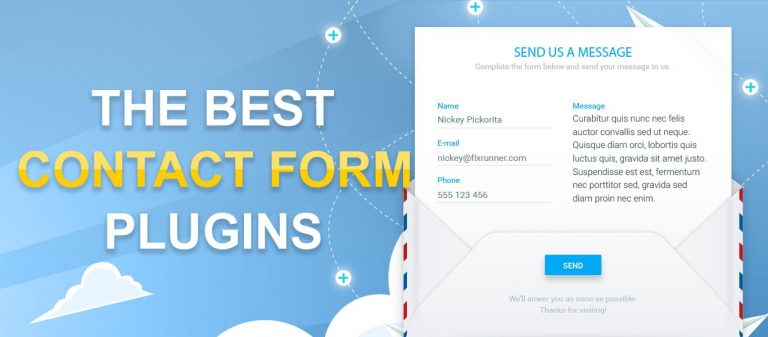
9 Superb WordPress Contact Form Plugins
Looking for WordPress contact form plugins? When you visit a website, you might come across a contact form that asks for your contact details. Contact form is the best way to generate leads for your organization. The visitors on your…

Top 7 Smart Content Locker WordPress Plugins For 2021
Looking for content locker WordPress plugins? The very first thing to ensure the success of your blog post is getting huge traffic. Internet users get curious about good quality content and would often like to share the information with other…

How to Secure WordPress from Cyber Attacks
Need to secure WordPress from cyber attacks? You need to assure your WordPress site is secure. With so many problems at hand, a cyber attack is still one of your primary concerns. You wouldn’t want your WordPress blog to be…

I am only an A$$ on Facebook but not in real life…
Yes indeed, the incredible and magnificent world of Facebook. This particular platform has been a massive part of both my business and personal life since 2009. I have used the personal side of Facebook to share life events and mainly…
Remove Admin Notice “Connect your store to WooCommerce.com to receive extensions updates and support.”
Seeing the connect your store to WooCommerce message? WooCommerce version 3.3.1 It is out and we are loving it. WooCommerce can surely make all of your eCommerce dreams come true. If you have already upgraded to the newest version or…

HostGator Malware Removal Says “Sitelock Needs to Clean Your Site”
Are you in a panic because of HostGator Malware Removal? We must start this off by saying that we think Sitelock is an AMAZING company that provides high level security solutions for WordPress sites. Sitelock is an industry leader in…

How To Grow an Email List Using WordPress and Social Media
Need to grow an email list using WordPress All companies with an online presence want to increase their email subscribers by hook or by crook. It allows them to increase the user base, brand awareness, sales, and leads. There are…
WordPress Security & Malware Prevention
Keeping your WordPress website secure is essential for protecting your business, your customers, and your online reputation. Cybersecurity threats, malicious plugins, outdated software, and website vulnerabilities can put your entire online presence at risk.
Discover practical WordPress security tips, malware prevention strategies, website protection recommendations, and expert insights to help safeguard your website against hackers, infections, and unexpected security issues.
WordPress Troubleshooting Guides
WordPress errors can happen when you least expect them. Whether you’re dealing with the white screen of death, plugin conflicts, broken layouts, database connection errors, or unexpected website behavior, finding the right solution quickly matters.
Our WordPress troubleshooting guides help you understand common website problems, identify potential causes, and explore practical solutions. Get expert guidance to resolve issues, minimize downtime, and keep your website functioning smoothly.
Website Speed & Performance
A fast, responsive website creates a better experience for visitors and can support stronger search engine performance. Slow page loading, inefficient plugins, oversized images, and poorly configured hosting environments can all affect your WordPress website’s speed.
Explore WordPress performance optimization tips, caching recommendations, Core Web Vitals insights, and proven strategies for improving website speed, reliability, and overall user experience.
WordPress Maintenance & Best Practices
A healthy WordPress website requires ongoing attention. Regular software updates, reliable backups, security monitoring, and preventative maintenance help reduce unexpected problems and keep your website operating efficiently.
Learn essential WordPress maintenance best practices, discover ways to improve website stability, and understand how proactive website management can help prevent costly issues before they happen.
Expert WordPress Help When You Need It
Sometimes, even the best tutorials aren’t enough to solve a complicated WordPress problem. That’s where WP Fix It comes in.
Our WordPress support experts specialize in troubleshooting, malware removal, website performance, security, and ongoing WordPress maintenance. Whether you’re facing an urgent website issue or looking for long-term peace of mind, we’re here to help you keep your WordPress website secure, reliable, and running smoothly.
Need help with your WordPress website? Get Expert WordPress Support and let our team take care of the technical headaches.
