
Stay ahead of the curve with expert WordPress tips, practical tutorials, security insights, and the latest industry updates. Whether you’re troubleshooting a website issue, improving performance, or protecting your site from security threats, The WordPress Pulse delivers the knowledge you need to keep your WordPress website running at its best.
Latest WordPress Tips & Insights
WordPress is constantly evolving, and keeping up with the latest developments can make a big difference in your website’s security, functionality, and performance. Explore expert advice, helpful tutorials, and actionable insights designed to help you get more out of your WordPress website.
From new features and plugin recommendations to common mistakes and best practices, we break down complex WordPress topics into straightforward guidance you can actually use.

How to Repair a Corrupted WordPress .htaccess File

If you need to repair corrupted WordPress .htaccess file problems, the good news is that this is usually one of the faster WordPress issues to diagnose and fix. The .htaccess file is a directory-level Apache configuration file, and WordPress uses…
How to Fix a Broken WordPress Navigation Menu After an Update
If you need to fix broken WordPress navigation menu after update, the good news is that this problem is usually recoverable without rebuilding your site from scratch. In most cases, the issue comes from one of a few common causes:…
Why Your WordPress Theme Customizer Won’t Open
If your WordPress Theme Customizer won’t open, you are usually dealing with one of a small set of root causes: a plugin conflict, a broken theme function, a JavaScript error, low PHP memory, a caching problem, or a permission or…
Fix Broken Images in WordPress After Moving to HTTPS: Complete Step-by-Step Guide
If you need to fix broken images in WordPress after moving to HTTPS, the good news is that this problem is usually very fixable. The bad news is that it can show up in several places at once. Your posts…
Cannot Modify Header Information in WordPress: Causes, Fixes, and Prevention
Cannot Modify Header Information in WordPress is one of those errors that looks intimidating at first, but in most cases it comes down to one simple issue: PHP output started before WordPress, a theme, or a plugin tried to send…
WordPress Update Failed via FTP: Safe Recovery Steps
A WordPress Update Failed via FTP situation can feel worse than a normal update problem because by the time you are inside your files, the site is often already half-broken, stuck in maintenance mode, or throwing a 500 error. The…
WordPress 7.0 Features: What’s Coming, What Changed, and How to Prepare
WordPress 7.0 Features are shaping up to make this one of the most ambitious major releases in recent memory. But there is one important detail to get straight before you update a single site: WordPress 7.0 was originally scheduled for…
Fix WordPress Stuck on Loading in wp-admin: Step-by-Step Troubleshooting Guide
If you need to fix WordPress stuck on loading in wp-admin, the good news is that this problem is usually traceable to a small set of causes. In most cases, the endless spinner or half-loaded dashboard comes from a plugin…
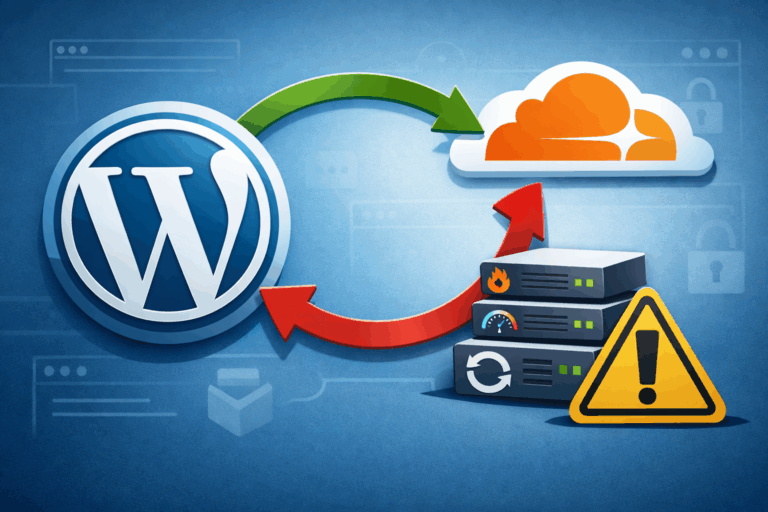
Fix Redirect Loops: WP_HOME/SITEURL, Cloudflare SSL Modes, Cache Purge Order
If you’re trying to fix WordPress redirect loop issues (the dreaded “Too many redirects” error), you’re usually dealing with one of three root causes: The good news: redirect loops are very fixable if you follow a clean, layered process. This…
Database Emergencies: Disk Full, Crashed Tables, Random DB Connection Errors
WordPress database emergencies have a special talent for showing up at the worst possible time: during a launch, after a traffic spike, or right when you finally sit down to relax. One minute your site is fine, the next you’re…

Site Works for You but Not Visitors: CDN, Cache, Geo/WAF Gotchas
If your site works for you but not visitors, you’re dealing with one of the most frustrating WordPress problems: everything looks perfect from your seat, yet real humans (customers, readers, clients) see errors, endless loading, blank pages, login loops, or…
Fix a Blank wp-admin: Step-by-Step (No Dashboard Downtime)
If you’re trying to log in and your wp-admin loads as a blank page, you’re not alone—and you can usually fix blank wp-admin without taking your public site offline. A blank wp-admin screen is almost always a symptom of a…
WordPress Security & Malware Prevention
Keeping your WordPress website secure is essential for protecting your business, your customers, and your online reputation. Cybersecurity threats, malicious plugins, outdated software, and website vulnerabilities can put your entire online presence at risk.
Discover practical WordPress security tips, malware prevention strategies, website protection recommendations, and expert insights to help safeguard your website against hackers, infections, and unexpected security issues.
WordPress Troubleshooting Guides
WordPress errors can happen when you least expect them. Whether you’re dealing with the white screen of death, plugin conflicts, broken layouts, database connection errors, or unexpected website behavior, finding the right solution quickly matters.
Our WordPress troubleshooting guides help you understand common website problems, identify potential causes, and explore practical solutions. Get expert guidance to resolve issues, minimize downtime, and keep your website functioning smoothly.
Website Speed & Performance
A fast, responsive website creates a better experience for visitors and can support stronger search engine performance. Slow page loading, inefficient plugins, oversized images, and poorly configured hosting environments can all affect your WordPress website’s speed.
Explore WordPress performance optimization tips, caching recommendations, Core Web Vitals insights, and proven strategies for improving website speed, reliability, and overall user experience.
WordPress Maintenance & Best Practices
A healthy WordPress website requires ongoing attention. Regular software updates, reliable backups, security monitoring, and preventative maintenance help reduce unexpected problems and keep your website operating efficiently.
Learn essential WordPress maintenance best practices, discover ways to improve website stability, and understand how proactive website management can help prevent costly issues before they happen.
Expert WordPress Help When You Need It
Sometimes, even the best tutorials aren’t enough to solve a complicated WordPress problem. That’s where WP Fix It comes in.
Our WordPress support experts specialize in troubleshooting, malware removal, website performance, security, and ongoing WordPress maintenance. Whether you’re facing an urgent website issue or looking for long-term peace of mind, we’re here to help you keep your WordPress website secure, reliable, and running smoothly.
Need help with your WordPress website? Get Expert WordPress Support and let our team take care of the technical headaches.
