
Stay ahead of the curve with expert WordPress tips, practical tutorials, security insights, and the latest industry updates. Whether you’re troubleshooting a website issue, improving performance, or protecting your site from security threats, The WordPress Pulse delivers the knowledge you need to keep your WordPress website running at its best.
Latest WordPress Tips & Insights
WordPress is constantly evolving, and keeping up with the latest developments can make a big difference in your website’s security, functionality, and performance. Explore expert advice, helpful tutorials, and actionable insights designed to help you get more out of your WordPress website.
From new features and plugin recommendations to common mistakes and best practices, we break down complex WordPress topics into straightforward guidance you can actually use.

WordPress REST API Blocked: Safe Ways to Find and Fix the Cause

A blocked REST API can affect Site Health, the block editor, updates, forms, and connected services. Learn how to identify the cause without disabling security blindly.

How to Integrate Claude AI Into WordPress Safely: 5 Practical Methods
Claude can help with WordPress content, support, and editorial workflows, but the safest integration depends on what you want it to do. This guide explains five practical approaches, from simple manual workflows to a secure custom API connection.

Canonicalization Errors in Moz: A Practical WordPress Diagnosis Guide
Moz canonicalization warnings do not always mean your site is broken. Learn how to identify the exact URL conflict, determine which signal is wrong, and fix the underlying WordPress cause safely.
WordPress Hacked Redirect: 7 Safe Steps to Stop It
A WordPress hacked redirect can send visitors to spam, phishing, or unrelated pages while your site appears normal to you. Learn how to confirm the infection, preserve evidence, remove the cause, and verify that the redirect is gone.

How to Fix an HTTP to HTTPS Canonical Issue on Your WordPress Homepage
If your WordPress homepage has no redirect or canonical from HTTP to HTTPS, search engines and visitors may see inconsistent URL signals. Use this safe diagnostic process to correct the site address, redirects, canonical output, and caches without creating a redirect loop.

WordPress Facebook Groups Integration: 5 Safe Ways to Connect Your Site
Connect a WordPress site with a Facebook Group using practical, low-risk methods for links, content sharing, embeds, and community growth.

WooCommerce Add to Cart Slow? 9 Safe Ways to Find the Bottleneck
A slow WooCommerce add-to-cart action can come from AJAX requests, product data, plugins, overloaded hosting, or front-end scripts. Use this practical guide to identify the real bottleneck before changing settings or adding optimization plugins.

Alternate Page With Proper Canonical Tag: Safe WordPress Fix
Google’s “Alternate page with proper canonical tag” status usually means your site is working as intended—not that a canonical tag is broken. Learn what the message means, when action is needed, and how to fix genuine URL-selection problems in WordPress.

How to Add a Canonical Tag in WordPress: Safe Methods and Checks
A canonical tag tells search engines which URL should represent similar or duplicate WordPress pages. Learn safe ways to add one, when not to use it, and how to verify the result.

Multiple Canonical Tags in WordPress: A Safe Diagnostic and Fix Guide
Multiple canonical tags can send conflicting signals about your preferred URL. This practical guide shows how to identify duplicates, find their source, and correct them without damaging your WordPress site.

WP Engine Speed Test: A Safe, Practical Guide to Accurate Results
A speed test can reveal useful problems—or mislead you with cached, throttled, or poorly configured results. Learn how to test a WordPress site hosted on WP Engine accurately, interpret the evidence, and choose improvements that actually help visitors.
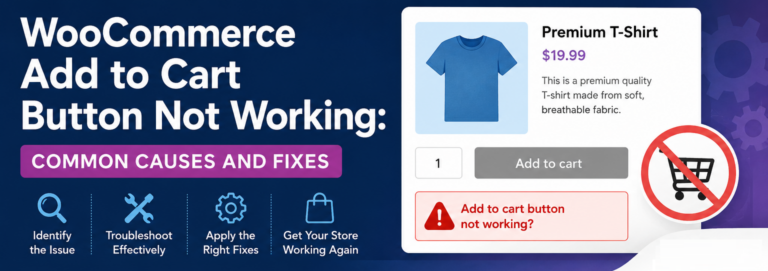
WooCommerce Add to Cart Button Not Working: Common Causes and Fixes
WooCommerce Add to Cart Button Not Working is one of the most urgent issues a store owner can face because it blocks shoppers at the exact moment they are ready to buy. A product page may look perfect, the price…
WordPress Security & Malware Prevention
Keeping your WordPress website secure is essential for protecting your business, your customers, and your online reputation. Cybersecurity threats, malicious plugins, outdated software, and website vulnerabilities can put your entire online presence at risk.
Discover practical WordPress security tips, malware prevention strategies, website protection recommendations, and expert insights to help safeguard your website against hackers, infections, and unexpected security issues.
WordPress Troubleshooting Guides
WordPress errors can happen when you least expect them. Whether you’re dealing with the white screen of death, plugin conflicts, broken layouts, database connection errors, or unexpected website behavior, finding the right solution quickly matters.
Our WordPress troubleshooting guides help you understand common website problems, identify potential causes, and explore practical solutions. Get expert guidance to resolve issues, minimize downtime, and keep your website functioning smoothly.
Website Speed & Performance
A fast, responsive website creates a better experience for visitors and can support stronger search engine performance. Slow page loading, inefficient plugins, oversized images, and poorly configured hosting environments can all affect your WordPress website’s speed.
Explore WordPress performance optimization tips, caching recommendations, Core Web Vitals insights, and proven strategies for improving website speed, reliability, and overall user experience.
WordPress Maintenance & Best Practices
A healthy WordPress website requires ongoing attention. Regular software updates, reliable backups, security monitoring, and preventative maintenance help reduce unexpected problems and keep your website operating efficiently.
Learn essential WordPress maintenance best practices, discover ways to improve website stability, and understand how proactive website management can help prevent costly issues before they happen.
Expert WordPress Help When You Need It
Sometimes, even the best tutorials aren’t enough to solve a complicated WordPress problem. That’s where WP Fix It comes in.
Our WordPress support experts specialize in troubleshooting, malware removal, website performance, security, and ongoing WordPress maintenance. Whether you’re facing an urgent website issue or looking for long-term peace of mind, we’re here to help you keep your WordPress website secure, reliable, and running smoothly.
Need help with your WordPress website? Get Expert WordPress Support and let our team take care of the technical headaches.
