
Stay ahead of the curve with expert WordPress tips, practical tutorials, security insights, and the latest industry updates. Whether you’re troubleshooting a website issue, improving performance, or protecting your site from security threats, The WordPress Pulse delivers the knowledge you need to keep your WordPress website running at its best.
Latest WordPress Tips & Insights
WordPress is constantly evolving, and keeping up with the latest developments can make a big difference in your website’s security, functionality, and performance. Explore expert advice, helpful tutorials, and actionable insights designed to help you get more out of your WordPress website.
From new features and plugin recommendations to common mistakes and best practices, we break down complex WordPress topics into straightforward guidance you can actually use.

Have You Been Hacked? Double-Checking Your Site Security

Have You Been Hacked or is your website just broken? Businesses need to reinforce their online marketing channels just as much as they’d protect a brick-and-mortar shop. Although the convenience of digital spaces makes it easy to engage with customers,…
Disable Lazy Load in WordPress Core and Use WP Rocket Instead
Looking to Disable Lazy Load? You may have found that there could be some image display issues when you enable the Lazy Load option in your WP Rocket plugin settings. You also may have pulled out some of your hair trying…
Is WordPress Really Free – WordPress Pricing Explained
It is often believed WordPress is a free to use CMS platform. Is it really? Find out the catch behind it in our comprehensive post on WordPress pricing. WordPress Pricing : Is WordPress Really Free? What’s The Catch? When individuals…

Comprehensive Guide to Optimizing WordPress Robots.txt
Optimizing WordPress Robots.txt is a must know how job for online success. To index your website swiftly, better ranking, and optimize for SEO, you need to plan and build a technical robots.txt file for WordPress. It becomes crucial, especially when…

Fix a Slow WordPress Site With These 3 Steps
Need to fix a slow WordPress Site? A slow WordPress website can be very bothersome. When you surf the web and find a site that contains the information you need, you’ll most likely exit that page if it loads longer…

Benefits of Using WordPress for Business & How to Optimize It
Using WordPress for business can boost your sales. Your WordPress websites are essential now that you’re in the age of modern technology. The pandemic undoubtedly drove many people to use tons of online platforms for all of their tasks and…

5 Tips for Driving More Traffic to Your WordPress Website
Driving more traffic to your website is absolutely critical. A modern-day business needs a well-designed and properly functioning website to impress curious visitors and turn them into loyal customers. However, this can be difficult to do if you have a…

4 WordPress Optimization Errors that Slow Down Your Site
Do not get caught with these WordPress optimization errors on your site. WordPress has always been regarded as one of the most intuitive and flexible content management systems in the market today. The platform is perfect for building great-looking websites…

How to Quickly Remove WordPress Malware on Your Own
Quickly Remove WordPress Malware with these easy steps… Websites are prone to malware attacks, and when situations like this occur, the most important thing is to act on the issue as fast as possible. As a website owner, you need…
How to Fix the Error Establishing a Database Connection in WordPress
You might have a WordPress website and need to fix the “Error Establishing a Database Connection“. It offers a ton of benefits that make it worthwhile. However, there comes a time when you encounter the error establishing a database connection. …
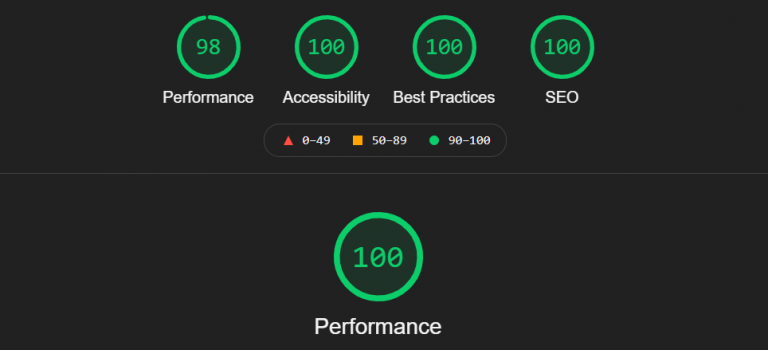
Speed Up Google Tag Manager Script on Your WordPress Site
If you are looking for a way to speed up Google Tag Manager script on your WordPress site, you have come to the right place. This pesky but useful script that Google provides WordPress website owners to integrate a bunch…

Find and Fix Duplicate Content Issues in WordPress
Need to find and fix duplicate content issues in WordPress? WordPress is one of the most popular platforms used for blogging these days. WordPress makes the lives of bloggers, freelancers, and small businesses easy and interesting. You don’t have to…
WordPress Security & Malware Prevention
Keeping your WordPress website secure is essential for protecting your business, your customers, and your online reputation. Cybersecurity threats, malicious plugins, outdated software, and website vulnerabilities can put your entire online presence at risk.
Discover practical WordPress security tips, malware prevention strategies, website protection recommendations, and expert insights to help safeguard your website against hackers, infections, and unexpected security issues.
WordPress Troubleshooting Guides
WordPress errors can happen when you least expect them. Whether you’re dealing with the white screen of death, plugin conflicts, broken layouts, database connection errors, or unexpected website behavior, finding the right solution quickly matters.
Our WordPress troubleshooting guides help you understand common website problems, identify potential causes, and explore practical solutions. Get expert guidance to resolve issues, minimize downtime, and keep your website functioning smoothly.
Website Speed & Performance
A fast, responsive website creates a better experience for visitors and can support stronger search engine performance. Slow page loading, inefficient plugins, oversized images, and poorly configured hosting environments can all affect your WordPress website’s speed.
Explore WordPress performance optimization tips, caching recommendations, Core Web Vitals insights, and proven strategies for improving website speed, reliability, and overall user experience.
WordPress Maintenance & Best Practices
A healthy WordPress website requires ongoing attention. Regular software updates, reliable backups, security monitoring, and preventative maintenance help reduce unexpected problems and keep your website operating efficiently.
Learn essential WordPress maintenance best practices, discover ways to improve website stability, and understand how proactive website management can help prevent costly issues before they happen.
Expert WordPress Help When You Need It
Sometimes, even the best tutorials aren’t enough to solve a complicated WordPress problem. That’s where WP Fix It comes in.
Our WordPress support experts specialize in troubleshooting, malware removal, website performance, security, and ongoing WordPress maintenance. Whether you’re facing an urgent website issue or looking for long-term peace of mind, we’re here to help you keep your WordPress website secure, reliable, and running smoothly.
Need help with your WordPress website? Get Expert WordPress Support and let our team take care of the technical headaches.
