
Stay ahead of the curve with expert WordPress tips, practical tutorials, security insights, and the latest industry updates. Whether you’re troubleshooting a website issue, improving performance, or protecting your site from security threats, The WordPress Pulse delivers the knowledge you need to keep your WordPress website running at its best.
Latest WordPress Tips & Insights
WordPress is constantly evolving, and keeping up with the latest developments can make a big difference in your website’s security, functionality, and performance. Explore expert advice, helpful tutorials, and actionable insights designed to help you get more out of your WordPress website.
From new features and plugin recommendations to common mistakes and best practices, we break down complex WordPress topics into straightforward guidance you can actually use.

Coming Up With Good Engaging Content

Need to create good engaging content? Are you looking to create content that engages? Does your content connect with people and encourage them to engage? What really draws the eyeballs and leads to brand boost and increased loyalty is that…
Easy Tips to Keep Your WordPress Website Secure!
Need to keep your WordPress website secure? A large amount of issues I see is WordPress sites that have been hacked or compromised. It is so important that you take security measure on your site to make sure that things…

Top 5 Live Chat Software for Your WordPress Site
Looking for live chat software for your WordPress site? In this day in age it is all about response time. We recently attended an event put on by Kelly Weppler Hernandez from WH & Associates celebrating Small Business week and at this event…
Top 10 Reasons Why to Choose WordPress
Here is the reasons Why to choose WordPress… You are roaming here and there and looking for best reasons that could convince you for using WordPress for designing your website. How would you feel if I say that you have…

The Best and Only WordPress Backup Plugin You Will Ever Need
Looking for a great WordPress backup plugin? With so many WordPress Backup Plugins out there, how do you know which one to use? Well this article will show you the best and only WordPress Backup Plugin to select for your…
Creating a Blogging Schedule Using The 20/30 Rule
Interested in creating a blogging schedule? Ever thought about creating a Blogging Schedule to really take your blog to the next level? If you have you maybe asked yourself “How many post per week or month should I write?”. This…
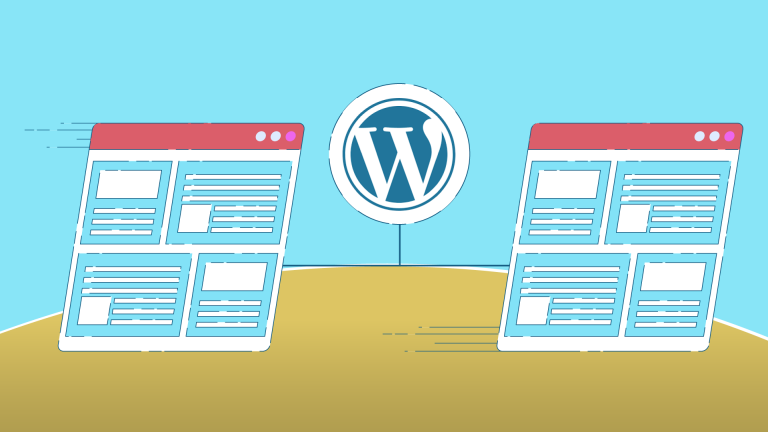
6 Reasons Why Companies Should Use WordPress For Their Website
Why Companies Should Use WordPress… PERIOD! WordPress, no longer for blogs and small businesses only. Recent core improvements grant users the ability to create unlimited custom content types without the need for an experienced developer. These improvements are rapidly shattering…

Top 5 FREE Coming Soon WordPress Themes
Looking for FREE coming soon WordPress themes? If you are planning to create an application, or any other website you should really consider having a coming soon page. On that splash page, you should have an email signup form and…
Feedburner is DEAD… Long Live MailChimp – Using Mailchimp to Deliver Posts
Using Mailchimp to Deliver Posts is SMART! Having people subscribe to your blog is extremely powerful and helps to generate high levels of website traffic and stay connected to your readers. Feedburner used to be a great tool for emailing…
MUST HAVE FREE WordPress Plugins for every install
This is our list of MUST HAVE FREE WordPress Plugins WordPress Plugins can be extremely useful for building your website and making it successful. There are thousands of plugins available out there both free and paid. I have used a…

WordPress Ping List For Massive Traffic Boost
WARNING: Using WordPress Can Ban Your Blog From Ping Services. In fact, if you have been using WordPress for a long time then by now your blog probably has been banned from ping services and you don’t even know it.…
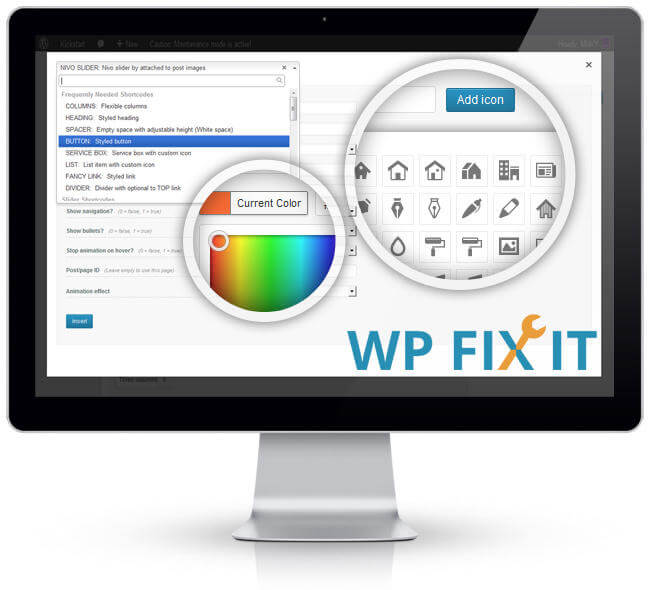
WordPress Shortcodes in Sidebar and PHP
It is a shame that when using WordPress Shortcodes in Sidebar WordPress doesn’t support shortcodes in sidebars by default, but it’s easy to fix. I’m going to focus on a specific use of shortcodes in a sidebar, but you could…
WordPress Security & Malware Prevention
Keeping your WordPress website secure is essential for protecting your business, your customers, and your online reputation. Cybersecurity threats, malicious plugins, outdated software, and website vulnerabilities can put your entire online presence at risk.
Discover practical WordPress security tips, malware prevention strategies, website protection recommendations, and expert insights to help safeguard your website against hackers, infections, and unexpected security issues.
WordPress Troubleshooting Guides
WordPress errors can happen when you least expect them. Whether you’re dealing with the white screen of death, plugin conflicts, broken layouts, database connection errors, or unexpected website behavior, finding the right solution quickly matters.
Our WordPress troubleshooting guides help you understand common website problems, identify potential causes, and explore practical solutions. Get expert guidance to resolve issues, minimize downtime, and keep your website functioning smoothly.
Website Speed & Performance
A fast, responsive website creates a better experience for visitors and can support stronger search engine performance. Slow page loading, inefficient plugins, oversized images, and poorly configured hosting environments can all affect your WordPress website’s speed.
Explore WordPress performance optimization tips, caching recommendations, Core Web Vitals insights, and proven strategies for improving website speed, reliability, and overall user experience.
WordPress Maintenance & Best Practices
A healthy WordPress website requires ongoing attention. Regular software updates, reliable backups, security monitoring, and preventative maintenance help reduce unexpected problems and keep your website operating efficiently.
Learn essential WordPress maintenance best practices, discover ways to improve website stability, and understand how proactive website management can help prevent costly issues before they happen.
Expert WordPress Help When You Need It
Sometimes, even the best tutorials aren’t enough to solve a complicated WordPress problem. That’s where WP Fix It comes in.
Our WordPress support experts specialize in troubleshooting, malware removal, website performance, security, and ongoing WordPress maintenance. Whether you’re facing an urgent website issue or looking for long-term peace of mind, we’re here to help you keep your WordPress website secure, reliable, and running smoothly.
Need help with your WordPress website? Get Expert WordPress Support and let our team take care of the technical headaches.
