
Stay ahead of the curve with expert WordPress tips, practical tutorials, security insights, and the latest industry updates. Whether you’re troubleshooting a website issue, improving performance, or protecting your site from security threats, The WordPress Pulse delivers the knowledge you need to keep your WordPress website running at its best.
Latest WordPress Tips & Insights
WordPress is constantly evolving, and keeping up with the latest developments can make a big difference in your website’s security, functionality, and performance. Explore expert advice, helpful tutorials, and actionable insights designed to help you get more out of your WordPress website.
From new features and plugin recommendations to common mistakes and best practices, we break down complex WordPress topics into straightforward guidance you can actually use.

Ensure Your Website Looks Perfect on Every Device with Device View

Title: Ensure Your Website Looks Perfect on Every Device with Device View Introduction In today’s digital landscape, a website’s appearance and functionality across various devices play a critical role in user experience and engagement. With mobile usage surpassing desktop browsing,…

Unveiling our Domain Detective Tool: Your Ultimate Free Resource for Comprehensive Domain Insights
In the ever-evolving digital landscape, managing your domain effectively can be the difference between seamless operations and unnecessary hurdles. Whether you’re a business owner, a developer, or an IT professional, understanding the intricate details of your domain name is critical.…
PHP 8.4: Driving the Next Generation of WordPress Success
PHP 8.4: Driving the Next Generation of WordPress Success When it comes to building and managing websites, WordPress has established itself as the go-to content management system (CMS). Powering over 43% of websites globally, its success hinges on flexibility, ease…
Emergency Room for WordPress: How to Triage a Broken Site in 5 Steps
Imagine this: you’re working on your WordPress site, everything seems fine, and then—disaster strikes. Your site is down, loading errors pop up, or worse, the infamous white screen of death (WSOD) appears. What now? Just like in a medical emergency,…

Introducing WP Rocket 3.18: Speed and Simplicity Redefined!
You read that right: WP Rocket 3.18 is here, ready to race onto the track of web performance optimization! In today’s fast-paced digital landscape, where every millisecond counts, we understand the importance of staying ahead of the competition. Our mission…
The Ongoing Struggles Between WordPress, Automattic, and WP Engine
WordPress has long been the cornerstone of content management systems (CMS), powering over 40% of the web. Its success is attributed to its flexibility, ease of use, and the thriving ecosystem of plugins, themes, and developers. At the heart of…

EmailOctopus vs. Mailchimp: Why EmailOctopus is the Best Alternative for Email Marketing
Why EmailOctopus is the Best Alternative to Mailchimp for Email Marketing Email marketing remains one of the most effective ways for businesses to connect with their audience, promote products, and drive conversions. While Mailchimp has long been a popular choice…
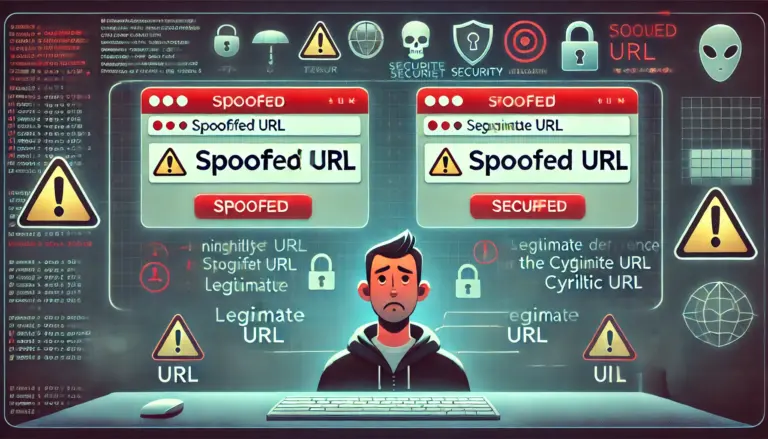
Understanding URL Spoofing and How to Stay Safe Online
In today’s digital age, cyber threats are more sophisticated and harder to detect than ever before. One common method used by cyber criminals is URL spoofing, which involves creating a deceptive web address that looks strikingly similar to a legitimate…

Becoming a WordPress Expert: A Comprehensive Guide
In the world of website creation and management, WordPress stands out as one of the most popular and versatile platforms available. As of 2024, it powers over 40% of all websites on the internet. This prevalence underscores the demand for…
Mastering .htaccess for WordPress: A Comprehensive Guide to “htaccess wp”
Introduction The .htaccess file in WordPress, often referred to as “htaccess wp,” is a critical configuration file that plays a crucial role in managing the behavior of your WordPress site. This guide will delve into the importance of the .htaccess…

Solving the White Screen of Death in WordPress: A Comprehensive Guide
Experiencing a “White Screen of Death in WordPress” can be a daunting issue for website owners. Often referred to as the “White Screen of Death” (WSOD), this problem leaves your site inaccessible and blank, causing panic for those unfamiliar with…

Fix WP Media Library Not Loading: Step-by-Step Solutions and Prevention Tips
The WordPress Media Library is an essential feature for website administrators and content creators. It allows users to upload, organize, and manage images, videos, and other media files. However, there are instances when users face the frustrating issue of the…
WordPress Security & Malware Prevention
Keeping your WordPress website secure is essential for protecting your business, your customers, and your online reputation. Cybersecurity threats, malicious plugins, outdated software, and website vulnerabilities can put your entire online presence at risk.
Discover practical WordPress security tips, malware prevention strategies, website protection recommendations, and expert insights to help safeguard your website against hackers, infections, and unexpected security issues.
WordPress Troubleshooting Guides
WordPress errors can happen when you least expect them. Whether you’re dealing with the white screen of death, plugin conflicts, broken layouts, database connection errors, or unexpected website behavior, finding the right solution quickly matters.
Our WordPress troubleshooting guides help you understand common website problems, identify potential causes, and explore practical solutions. Get expert guidance to resolve issues, minimize downtime, and keep your website functioning smoothly.
Website Speed & Performance
A fast, responsive website creates a better experience for visitors and can support stronger search engine performance. Slow page loading, inefficient plugins, oversized images, and poorly configured hosting environments can all affect your WordPress website’s speed.
Explore WordPress performance optimization tips, caching recommendations, Core Web Vitals insights, and proven strategies for improving website speed, reliability, and overall user experience.
WordPress Maintenance & Best Practices
A healthy WordPress website requires ongoing attention. Regular software updates, reliable backups, security monitoring, and preventative maintenance help reduce unexpected problems and keep your website operating efficiently.
Learn essential WordPress maintenance best practices, discover ways to improve website stability, and understand how proactive website management can help prevent costly issues before they happen.
Expert WordPress Help When You Need It
Sometimes, even the best tutorials aren’t enough to solve a complicated WordPress problem. That’s where WP Fix It comes in.
Our WordPress support experts specialize in troubleshooting, malware removal, website performance, security, and ongoing WordPress maintenance. Whether you’re facing an urgent website issue or looking for long-term peace of mind, we’re here to help you keep your WordPress website secure, reliable, and running smoothly.
Need help with your WordPress website? Get Expert WordPress Support and let our team take care of the technical headaches.
