

WordPress powers more than 40% of the web, but with that flexibility comes complexity. A typical WordPress site may rely on dozens of plugins, a heavily customized theme, third-party integrations, and server-level optimizations. When something breaks—white screens, PHP errors, broken layouts, missing emails—the hardest part is often figuring out what caused the problem.
This is exactly the problem Conflict Finder – WP Fix It was built to solve.
Rather than forcing site owners to manually disable plugins, edit wp-config.php, or risk breaking a live website, Conflict Finder provides a safe, centralized troubleshooting environment inside the WordPress admin. It allows you to isolate plugin conflicts, theme conflicts, debugging errors, and email delivery problems—without permanently altering your site configuration.
In this article, we’ll take a deep dive into Conflict Finder – WP Fix It, explain how it works, explore each feature in detail, and show why it’s one of the most practical troubleshooting tools available for WordPress today.
Why Traditional WordPress Troubleshooting Is Risky
Before understanding the value of Conflict Finder, it helps to look at how WordPress troubleshooting is usually done.
Most guides still recommend steps like:
- Editing
wp-config.phpmanually to enableWP_DEBUG - Disabling all plugins from the Plugins screen
- Switching to a default theme such as Twenty Twenty
- Installing multiple debugging plugins
- Guessing which plugin or theme caused the issue
These approaches have major downsides:
- Human error when editing core files
- Downtime on live production sites
- Lost plugin configurations
- Incomplete testing, especially for email delivery
- Time-consuming trial and error
Conflict Finder replaces these risky workflows with a controlled, reversible troubleshooting system.
Overview: What Is Conflict Finder – WP Fix It?
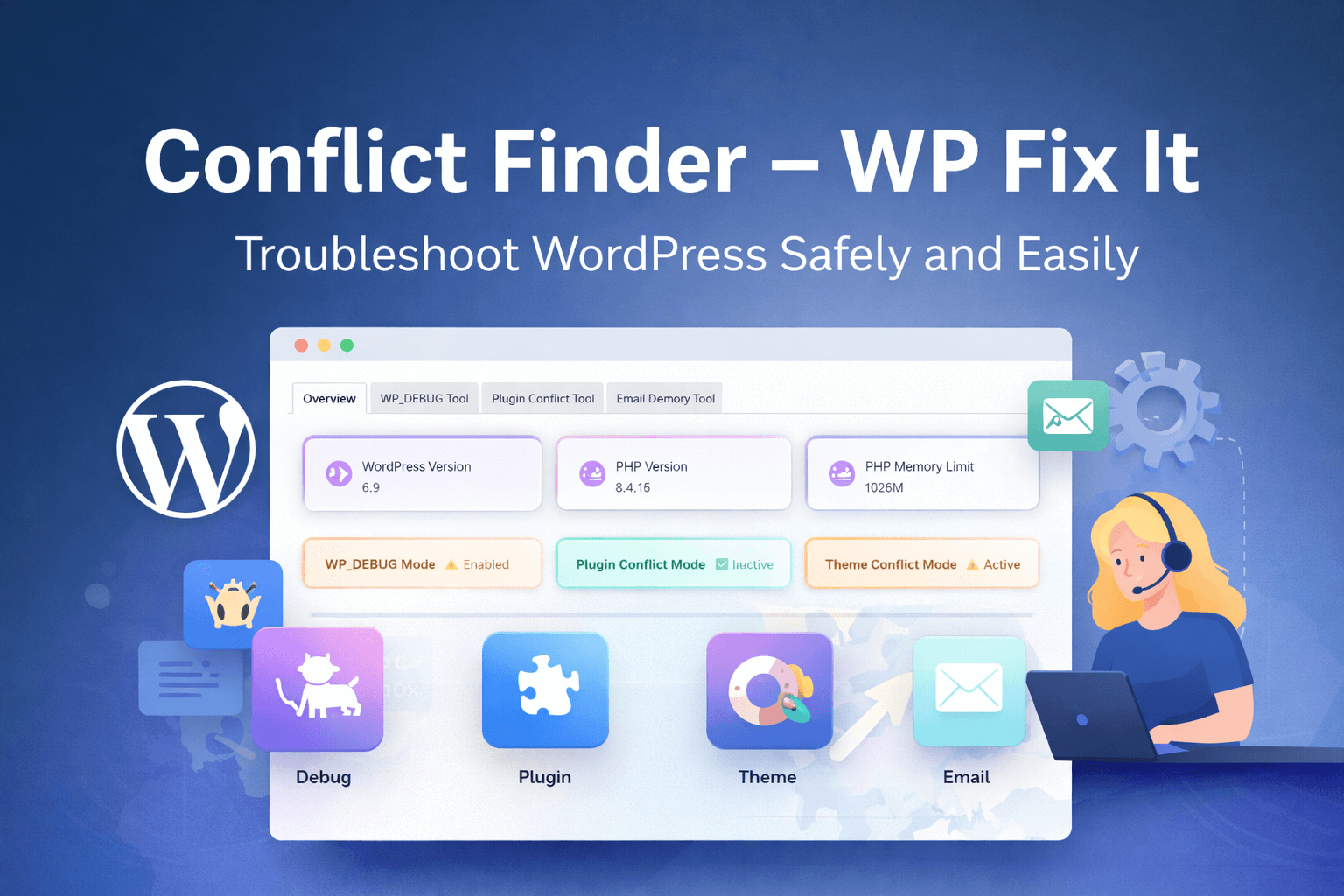
Conflict Finder – WP Fix It is a WordPress troubleshooting plugin designed to help site owners, developers, and support professionals diagnose issues safely and efficiently.
Instead of scattered tools and manual steps, it provides a single Troubleshooting Tools dashboard that includes:
- Environment snapshot (WordPress, PHP, server details)
- WP_DEBUG management without editing files
- Plugin conflict isolation
- Theme conflict isolation
- Email delivery testing
- Instant restoration of original site state
Everything happens inside WordPress, with clear UI feedback and reversible actions.
Environment Snapshot: Instant Site Diagnostics
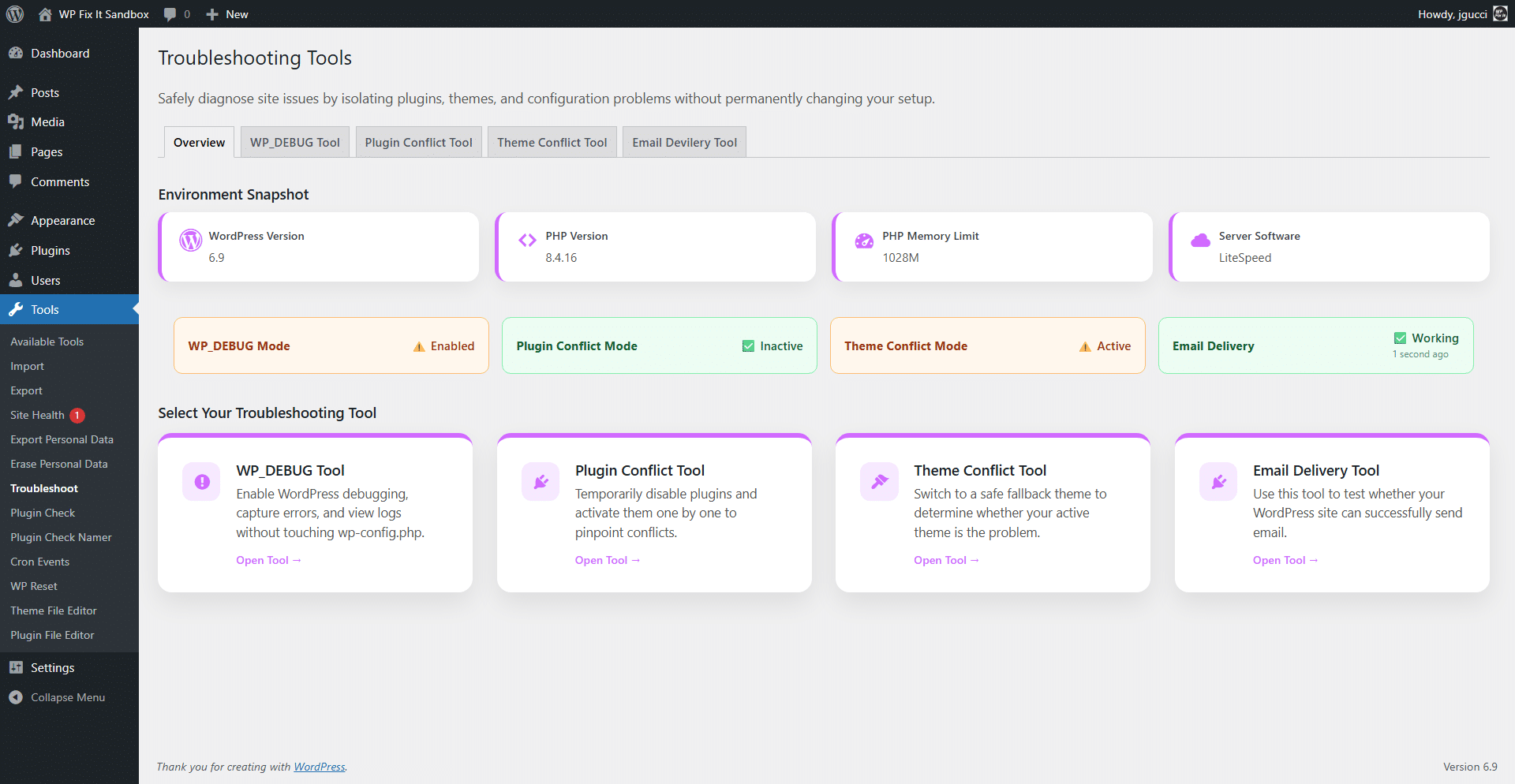
The first thing you see when opening Conflict Finder is the Environment Snapshot.
This overview displays critical system information at a glance:
- WordPress version
- PHP version
- PHP memory limit
- Server software
- WP_DEBUG status
- Plugin conflict mode status
- Theme conflict mode status
- Email delivery health
This snapshot is incredibly useful for support teams. Instead of hunting through multiple admin pages or Site Health reports, you immediately know whether:
- The site is running an outdated PHP version
- Debug mode is already enabled
- A conflict isolation mode is active
- Emails are successfully sending
For agencies and freelancers, this alone can save minutes—or hours—on every support request.
WP_DEBUG Tool: Safe Debugging Without Touching wp-config.php
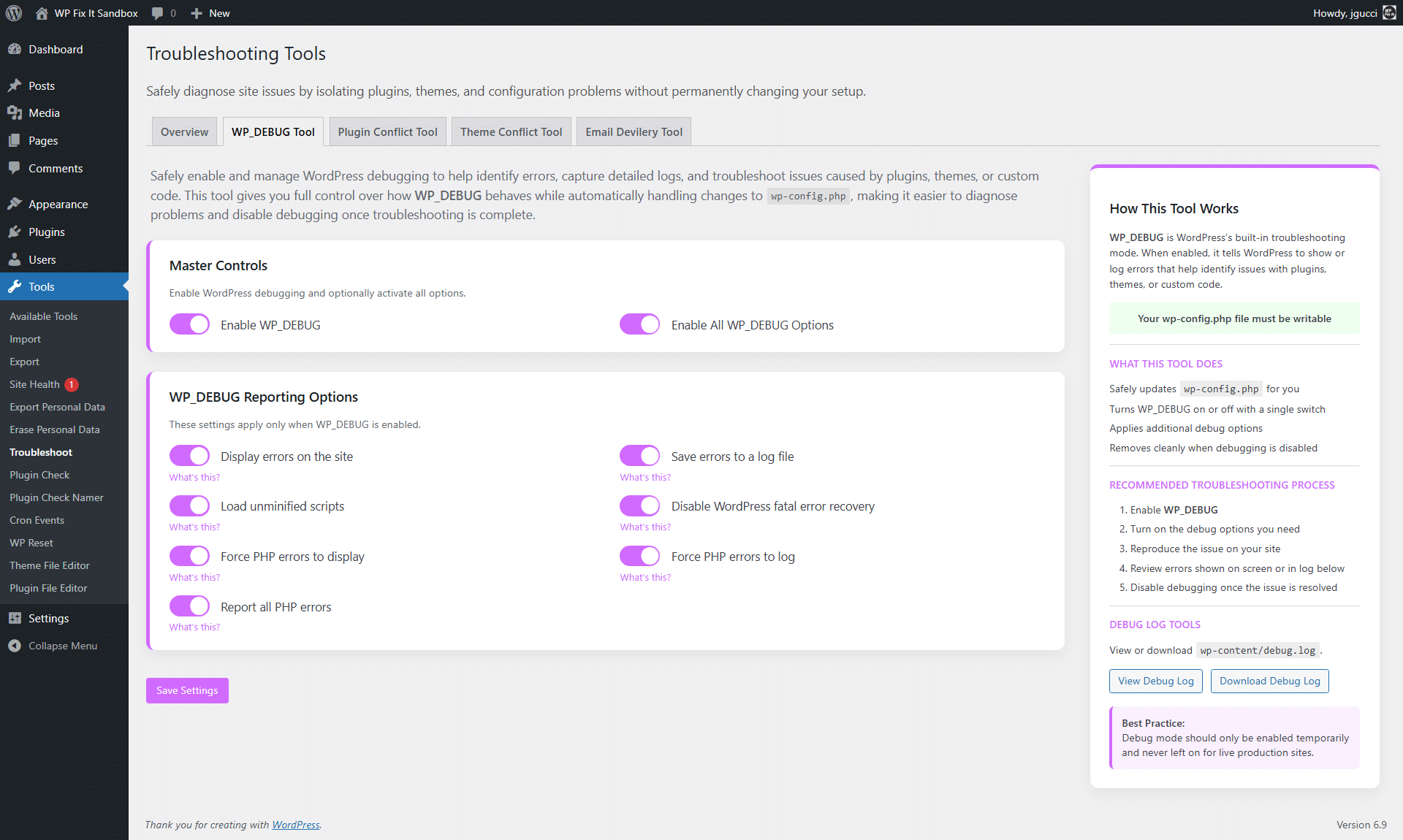
One of the most powerful features of Conflict Finder is its WP_DEBUG Tool.
Why WP_DEBUG Is Usually a Problem
Normally, enabling debugging in WordPress requires editing wp-config.php. On live sites, this is risky:
- Syntax errors can crash the site
- Debug output may be visible to visitors
- Logs are often forgotten and left enabled
How Conflict Finder Solves This
Conflict Finder safely manages WP_DEBUG for you, offering:
- One-click enable/disable
- Optional activation of all debug options
- Automatic cleanup when debugging is disabled
You can toggle:
- Display errors on the site
- Log errors to
wp-content/debug.log - Load unminified scripts
- Force PHP errors to display or log
- Disable WordPress fatal error recovery
Built-In Debug Log Viewer
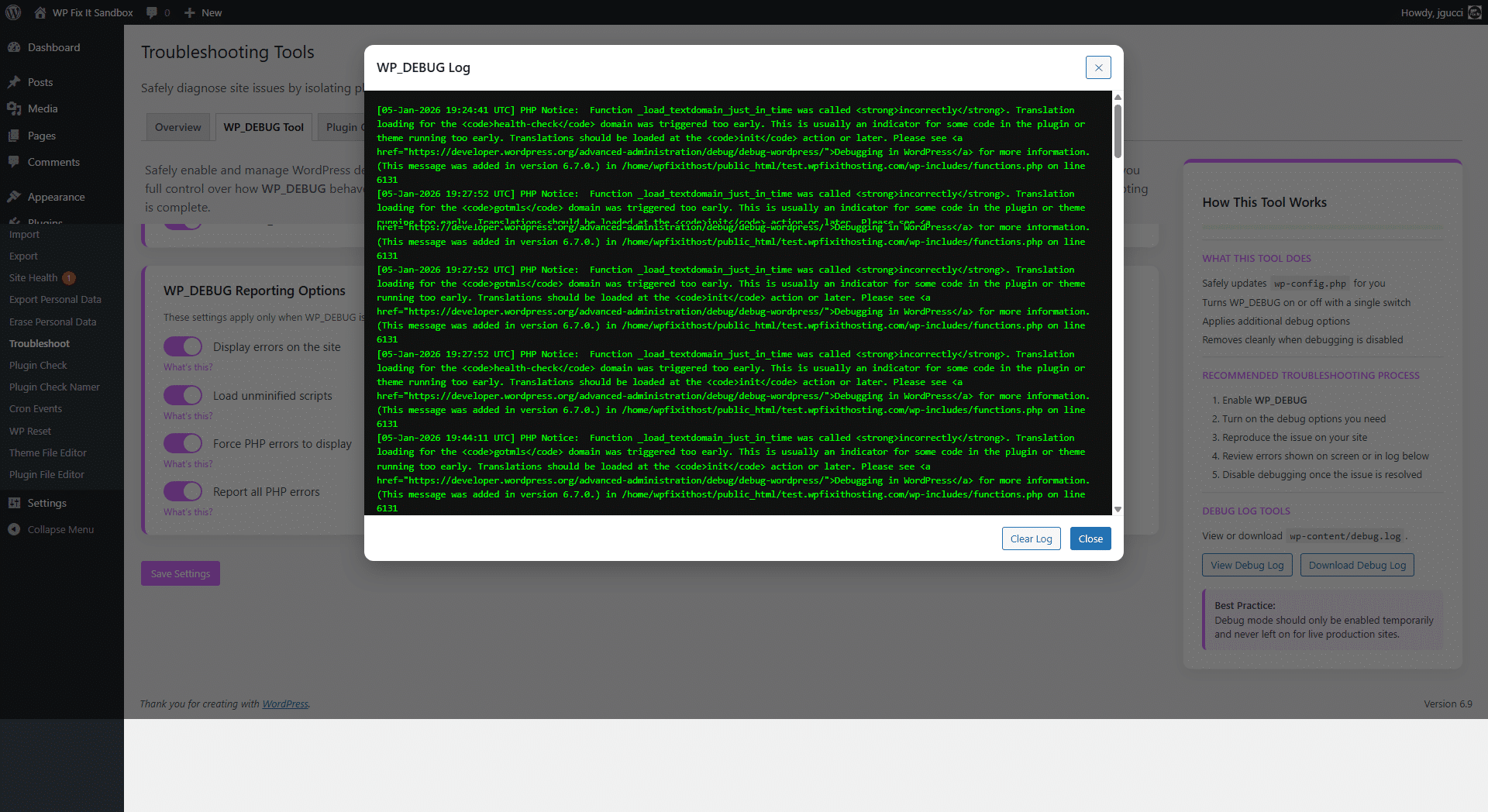
Instead of opening files via FTP, the plugin includes:
- A modal debug log viewer
- One-click log clearing
- Downloadable debug logs
This makes diagnosing PHP notices, warnings, and fatal errors significantly faster—especially for non-developers.
Plugin Conflict Tool: Isolate Plugin Issues Instantly
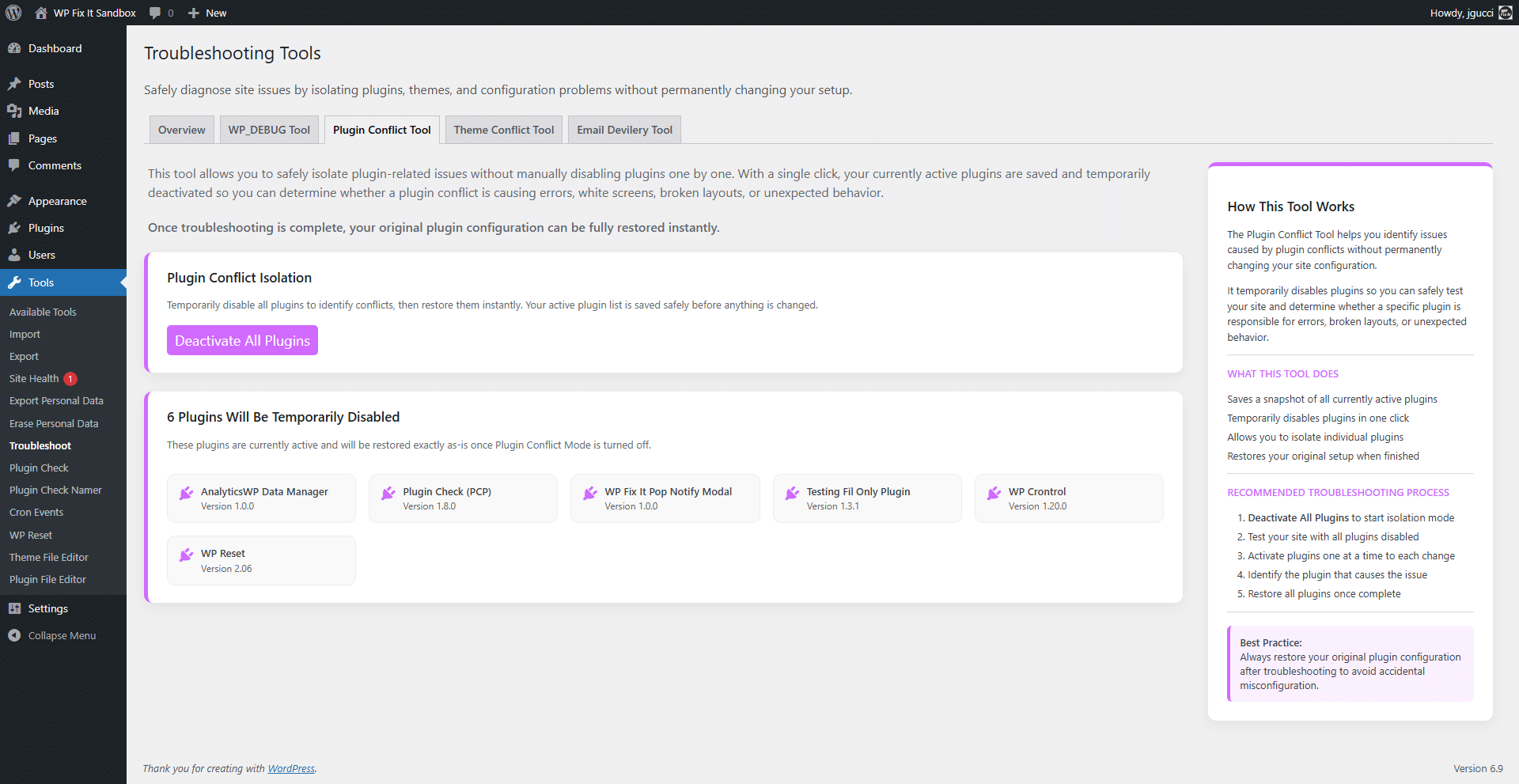
Plugin conflicts are the most common cause of WordPress issues.
Traditionally, resolving them means:
- Deactivating all plugins
- Re-enabling them one by one
- Hoping you remember the original setup
Conflict Finder replaces this with a safe plugin isolation mode.
How Plugin Conflict Mode Works
When activated:
- All active plugins are temporarily disabled
- Your current plugin configuration is saved automatically
- The site remains accessible for testing
- No permanent changes are made
You can then:
- Test if the issue disappears
- Reactivate plugins individually
- Identify the exact plugin causing the conflict
Once troubleshooting is complete, your original plugin configuration is restored instantly.
This is especially valuable on:
- Client websites
- Ecommerce stores
- Membership sites
- High-traffic production environments
Theme Conflict Tool: Test Themes Without Losing Settings
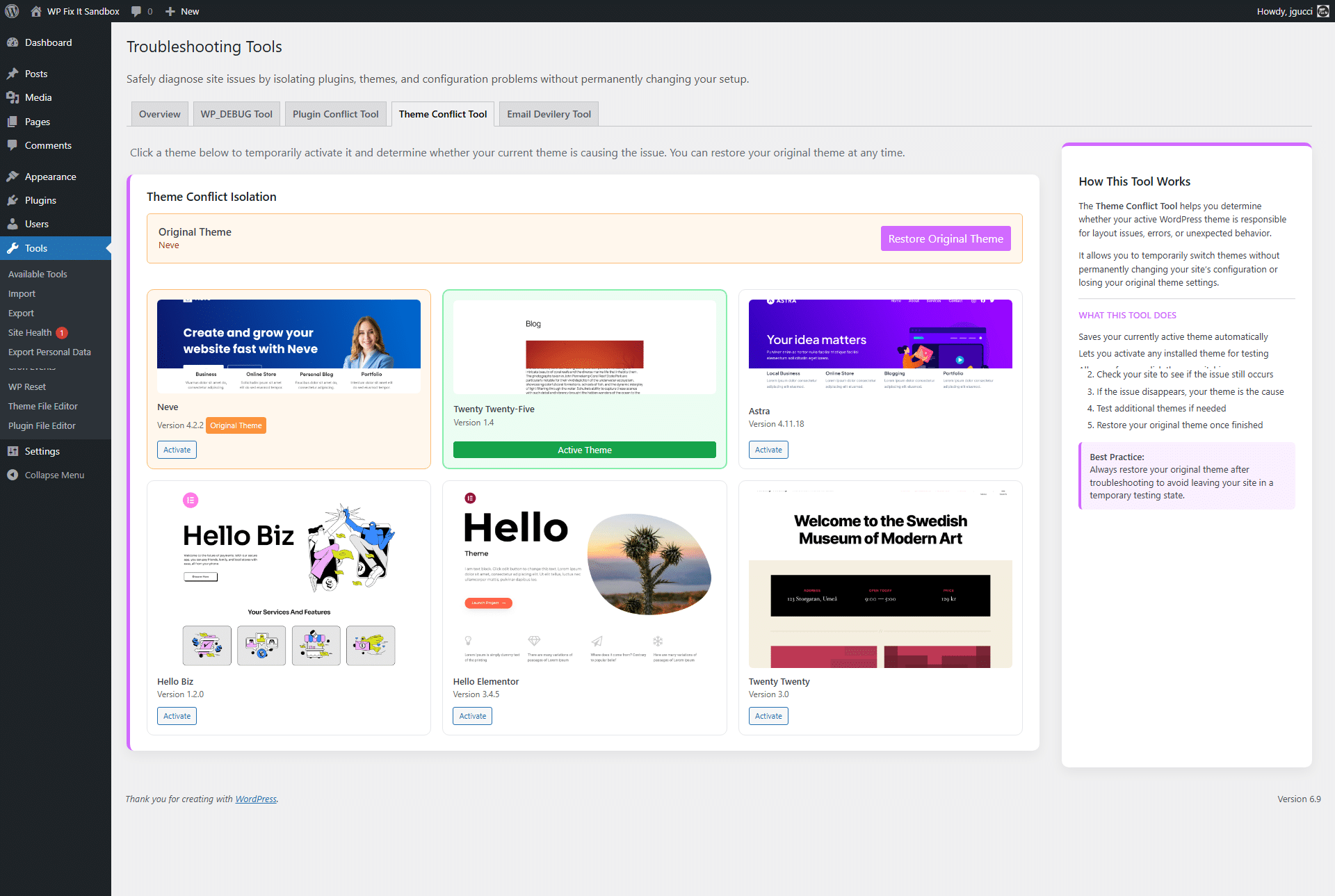
Theme issues can be just as disruptive as plugin conflicts. Layout breaks, missing styles, or PHP errors often originate from theme files.
Conflict Finder’s Theme Conflict Tool allows you to test this safely.
Key Benefits
- Automatically saves your current theme
- Lets you activate a fallback theme temporarily
- Does not delete or overwrite theme settings
- One-click restoration of the original theme
You can quickly determine whether:
- The active theme is causing PHP errors
- A custom theme update introduced a bug
- A plugin and theme are incompatible
This is especially useful when debugging:
- Page builder conflicts
- Custom theme functions
- WooCommerce layout issues
Email Delivery Tool: Test wp_mail() in Seconds
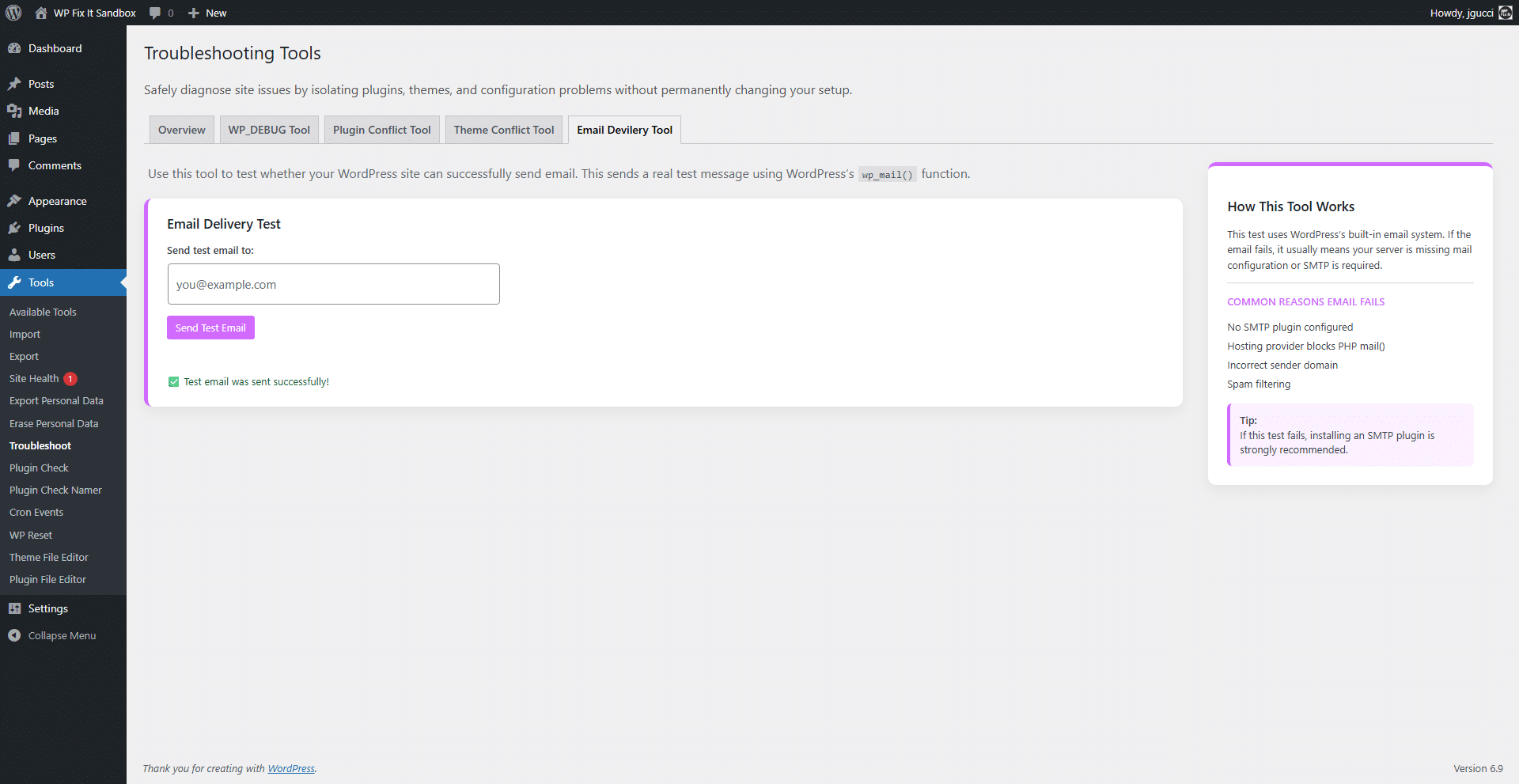
Email problems are some of the hardest WordPress issues to diagnose. Contact forms, order notifications, password resets—when emails fail, users notice immediately.
Conflict Finder includes a built-in Email Delivery Tool that sends a real test email using WordPress’s wp_mail() function.
What This Tells You
With one test email, you can determine whether:
- WordPress can send emails at all
- The server blocks PHP mail
- SMTP configuration is required
- Emails are being filtered as spam
The tool provides instant success or failure feedback, helping you decide whether:
- An SMTP plugin is needed
- Hosting configuration changes are required
- The issue is plugin-related or server-level
This saves significant time compared to troubleshooting email blindly.
Designed for Safety, Speed, and Restoration
One of the defining features of Conflict Finder – WP Fix It is its commitment to safety.
Every troubleshooting action:
- Is temporary
- Is reversible
- Preserves your original configuration
There is no need to remember which plugins were active or which theme was running. The plugin handles snapshots and restoration automatically.
This makes it ideal for:
- Support professionals
- Managed WordPress hosting
- Agencies handling multiple sites
- Non-technical site owners
Who Should Use Conflict Finder – WP Fix It?
This plugin is valuable for a wide range of WordPress users:
Site Owners
- Diagnose issues without hiring a developer immediately
- Avoid breaking live websites
- Understand whether problems are plugin, theme, or server-related
Developers
- Speed up debugging workflows
- Avoid repetitive manual steps
- Access logs and environment data instantly
Agencies & Support Teams
- Standardize troubleshooting processes
- Reduce time per support ticket
- Safely test changes on production sites
Final Thoughts: A Smarter Way to Debug WordPress
Conflict Finder – WP Fix It doesn’t just add another debugging plugin—it redefines how WordPress troubleshooting should be done.
By combining:
- WP_DEBUG management
- Plugin conflict isolation
- Theme conflict testing
- Email delivery diagnostics
- Automatic restoration
…it removes the guesswork, risk, and frustration that usually come with debugging WordPress sites.
If you manage WordPress websites regularly—or even just want peace of mind when something goes wrong—Conflict Finder – WP Fix It is a powerful addition to your toolkit.
This is a completely free plugin that is available at wordpress.org.
You can download this at the link below or you can install it directly on your WordPress website by searching for the plugin name “Conflict Finder“.