


Communicate with your assigned support agent
Below are the easy-to-follow steps that will show you how to access your support portal and communicate directly with the assigned agent on your support ticket.
Replying to your support ticket through email may not always be received to your assigned agent. Follow the steps below for a better way.
LOGIN TO YOUR SUPPORT PORTAL
CLICK HERE TO LOGIN TO YOUR ACCOUNT

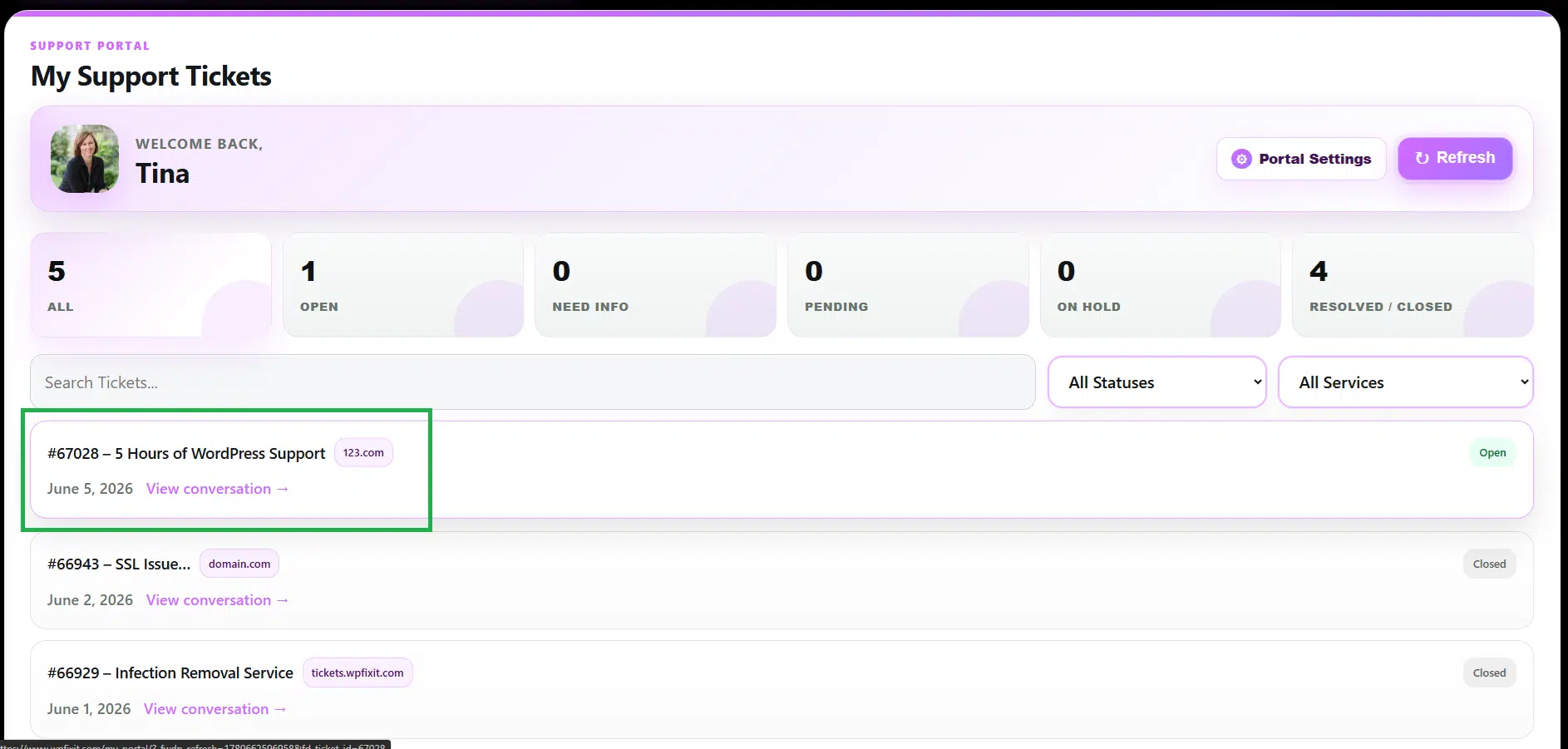
CLICK ON TICKET TO REPLY
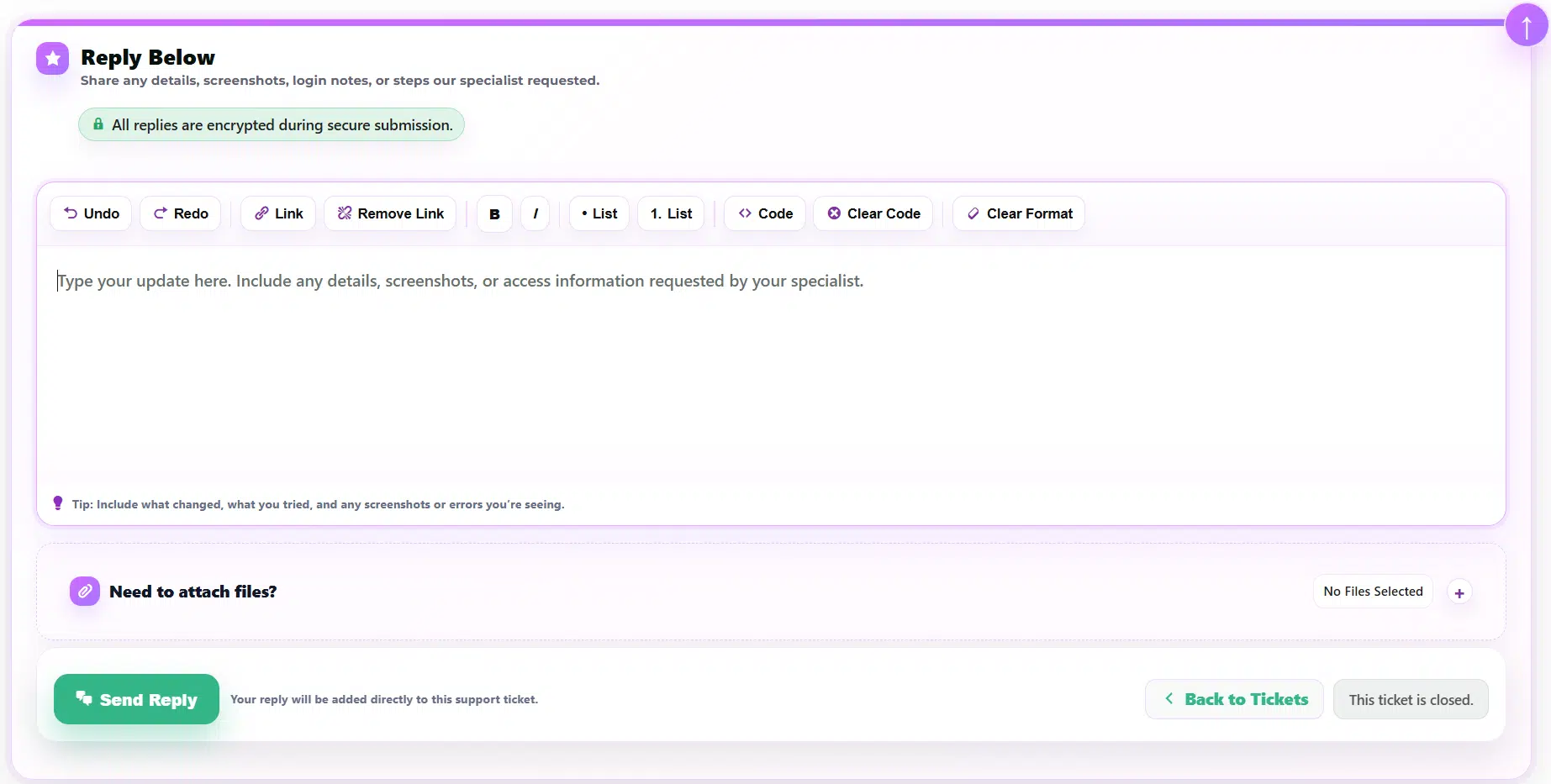
WRITE & SEND REPLY TO YOUR AGENT